Increase Team Productivity With AI Workflows | AI Automated Solutions
AI WORKFLOWS • TEAM PRODUCTIVITY • TASK ROUTING • MEETING ACTIONS • CRM UPDATES • APPROVALS

Increase Team Productivity With AI Workflows

AI Automated Solutions builds AI workflows that help teams reduce repetitive admin, summarise meetings, create tasks, update CRM, draft documents, route approvals, send follow-ups and give managers clearer visibility. We do not just add AI tools. We redesign the workflow so your team can move faster with less manual friction.

Less Manual Admin Reduce repetitive copying, summarising, chasing, updating, drafting and reporting work.
Clearer Tasks & Owners Turn meetings, emails, forms and CRM events into assigned work with deadlines and context.
Manager Visibility Track work volume, overdue tasks, approvals waiting, bottlenecks and team workload.
What It Is

AI Workflows For Teams

AI productivity workflows connect the daily work your team already does: meetings, emails, documents, CRM updates, approvals, reports, tasks and internal knowledge.

Instead of giving every person another disconnected AI tool, we design the workflow around the actual process so AI helps work move from request to completion.

Your team does not need more AI tools. They need better workflows powered by AI.

01
Map The Work Identify repeated admin, handover gaps, approval delays, CRM friction and document bottlenecks.
02
Route The Tasks Turn emails, forms, meeting notes, customer messages and CRM activity into assigned work.
03
Generate The Output Draft documents, summaries, reports, client updates, internal briefs and next-step messages.
04
Track The Follow-Through Give managers visibility over tasks, owners, overdue work, approvals, workload and bottlenecks.
Workflow Flow

From Request To Completion

The system captures work, summarises context, creates tasks, routes approvals, updates systems and tracks progress.

01 Capture Collect work from emails, forms, meetings, CRM events, WhatsApp, support tickets or internal requests.
02 Understand AI summarises the request, extracts key information, identifies intent and spots missing details.
03 Assign Create tasks with owners, deadlines, priority, context and the right department or workflow stage.
04 Create Draft documents, CRM notes, client updates, reports, SOPs, internal briefs or follow-up messages.
05 Approve Route sensitive outputs, quotes, documents, messages or decisions to the right reviewer.
06 Track Monitor completed work, overdue tasks, unresolved handovers, bottlenecks and workflow performance.
Productivity Modules

What The System Includes

Start with one high-friction workflow, then expand into task routing, meeting actions, documents, CRM updates, approvals, knowledge search and dashboards.

The Business Problem

Busy Teams, Broken Workflows

Most teams are not lazy. They are slowed down by disconnected tools, repeated admin, poor handovers and unclear ownership.

Without AI Workflows

Staff Become The Glue

People spend too much time moving work between systems instead of doing the high-value work.

  • 1Meetings create decisions, but tasks and owners are not captured consistently.
  • 2CRM updates, reports, documents and follow-ups are delayed because they rely on manual admin.
  • 3Approvals happen in email or WhatsApp, with no clear status or deadline visibility.
  • 4Managers spend time chasing updates instead of seeing where work is stuck.
With AI Workflows

Work Moves With Structure

The workflow captures context, creates tasks, updates systems and shows what needs attention.

  • 1Meetings, emails, forms and CRM activity become structured tasks with owners and deadlines.
  • 2AI drafts summaries, documents, updates and reports so staff can review instead of starting from scratch.
  • 3Approvals are routed to the right person with context, status and clear next steps.
  • 4Managers see overdue work, bottlenecks, workload and process gaps in one dashboard.
Use Cases

What It Handles

AI productivity workflows can improve the daily work across sales, support, operations, finance, admin, delivery, management and client service teams.

Meetings

Meeting Actions

Summarise meetings, extract decisions, create tasks, assign owners and prepare follow-up drafts.

Email

Email-To-Task

Turn important emails into tasks, CRM notes, follow-ups, approvals or internal handovers.

Docs

Document Drafting

Draft proposals, reports, SOPs, briefs, summaries, client updates and internal documents from templates.

CRM

CRM Hygiene

Update notes, stages, next actions, reminders, contact history and follow-up tasks automatically.

Approve

Approval Routing

Route quotes, documents, payments, messages, requests and decisions to the right reviewer.

Knowledge

Knowledge Search

Let staff ask questions from approved SOPs, policies, templates, proposals and company documents.

Reports

Report Generation

Generate recurring reports, summaries, commentary, risks and follow-up actions from connected data.

Support

Customer Updates

Draft support responses, status updates, handovers, escalation notes and customer follow-ups.

Ops

Ops Visibility

Track handovers, open work, delayed approvals, bottlenecks, repeated issues and team workload.

Connected Stack

Connect The Tools Your Team Uses

AI productivity workflows can connect CRM, email, calendars, meeting platforms, task tools, documents, spreadsheets, dashboards, finance systems, support desks, WhatsApp, knowledge bases and custom business systems.


AI Automated Solutions can build around GoHighLevel, LeadConnector, HubSpot, Salesforce, Zoho, Pipedrive, Gmail, Outlook, Microsoft 365, Google Workspace, Microsoft Teams, Zoom, Google Meet, Slack, WhatsApp Business API, ClickUp, Monday.com, Asana, Trello, Notion, Airtable, Google Sheets, Excel, Google Drive, SharePoint, OneDrive, Dropbox, Xero, QuickBooks, Sage, Freshdesk, Zendesk, Jira, Linear, Power BI, Looker Studio, n8n, Make, Zapier, Power Automate and custom APIs.

Workflow Hub One connected layer for tasks, meetings, documents, CRM, approvals, knowledge and dashboards.
CRM Email Meetings Tasks Docs Approvals Knowledge Reports
Dashboard

Productivity Dashboard

Give managers one place to see work created, work completed, overdue items, bottlenecks, approval delays and team workload.

Work

Tasks Created

Track tasks generated from emails, meetings, forms, CRM activity, support tickets and internal requests.

Done

Work Completed

Measure tasks completed, workflow progress, completion rate and average turnaround time.

Late

Overdue Items

Show overdue tasks, delayed handovers, missed follow-ups and unresolved work by team or owner.

Approve

Approvals Waiting

Track quotes, documents, payments, messages and decisions waiting for review or sign-off.

CRM

CRM Updates

Monitor notes added, stages updated, follow-ups created, reminders sent and missing CRM activity.

Docs

Documents Generated

Track proposals, reports, SOPs, summaries, internal briefs and client updates created by workflow.

Time

Hours Saved

Estimate time saved from reduced manual admin, faster drafting, better routing and fewer repeat tasks.

Load

Team Workload

Show workload by department, owner, workflow type, priority and bottleneck area.

Workflow Guardrails

Automate The Right Work

AI productivity systems fail when businesses automate broken processes. The workflow must be mapped first, owners must be clear and sensitive outputs must include human review.

The goal is not to flood teams with AI-generated tasks. The goal is to reduce friction, improve handovers and help people do the work that matters.

Rules

Safe Workflow Rules

  • ✓ Map Before Automating Understand the current workflow, owners, systems, approvals and bottlenecks first.
  • ✓ Define Ownership Every task, approval, document and follow-up should have a clear owner and next step.
  • ✓ Review Sensitive Outputs Client messages, proposals, legal content, finance updates and external documents need human review.
  • ✓ Protect Business Data Use role-based access, secure storage, audit logs and POPIA-aligned data handling.
  • ✓ Measure Adoption Track usage, bottlenecks, task completion and whether the workflow is actually helping the team.
Best Starting Point

Start With One Workflow

The strongest first version is one high-friction workflow with AI summary, task routing, CRM or task update, approval step, reminders and dashboard visibility.

Audit

Workflow Audit

Identify repeated admin, bottlenecks, handover gaps, approval delays and missing visibility.

Scope

Choose One Process

Start with a meeting, client request, CRM update, approval, reporting or document workflow.

Capture

Capture Input

Collect the trigger from email, form, meeting note, CRM event, WhatsApp, ticket or task tool.

AI

AI Summary

Summarise the request, identify important context, extract missing details and prepare next steps.

Task

Task Routing

Create assigned tasks with owners, due dates, priority, source context and follow-up reminders.

Review

Approval Point

Add human review for sensitive outputs, client-facing messages, quotes, reports or decisions.

Update

System Update

Update CRM, project tools, documents, spreadsheets, dashboards or internal knowledge bases.

Track

Basic Dashboard

Track open work, overdue tasks, handovers, approvals, workload and workflow performance.

FAQ

Common Questions

Practical answers for businesses that want higher team productivity without creating more tool chaos.

AI productivity workflows are connected processes that use AI to capture work, summarise context, create tasks, draft outputs, update systems, route approvals and give managers visibility over follow-through.

No. Giving staff an AI tool helps individuals. AI workflows redesign the business process so meetings, emails, documents, CRM, tasks, approvals and reports are connected into repeatable work.

Start with a workflow that is repeated often, wastes time, creates delays or affects customers. Good first options include meeting actions, CRM updates, client requests, document drafting, approvals or monthly reports.

Yes. AI can extract actions from meetings, emails, forms, CRM events and support tickets, then create tasks with owners, due dates, context and reminders in your task system.

Yes. AIAS can build around existing tools such as CRM, Gmail, Outlook, Teams, Zoom, Google Meet, ClickUp, Monday.com, Asana, Notion, Google Workspace, Microsoft 365, WhatsApp, spreadsheets and dashboards.

The best first version is one high-friction workflow with AI summary, task routing, CRM or task update, reminders, a human review point and a basic productivity dashboard.

LogoLogoLogoLogoLogoLogoLogoLogoLogoLogoLogoLogoLogoLogoLogoLogoLogoLogoLogoLogoLogoLogoLogoLogoLogoLogoLogoLogoLogoLogoLogoLogoLogoLogoLogoLogoLogoLogoLogoLogo
★★★★★ Google Reviews

Ready to automate your marketing, sales, and customer service?

We handle everything — from setup to support — with no tech skills needed, free training, and local SA-based assistance. Sell smarter and faster, with clients seeing a 30–50% increase in qualified leads.

LogoLogoLogoLogoLogoLogoLogoLogoLogoLogoLogoLogoLogoLogoLogoLogoLogoLogoLogoLogoLogoLogoLogoLogoLogoLogoLogoLogoLogoLogoLogoLogoLogoLogoLogoLogoLogoLogoLogoLogo

Articles

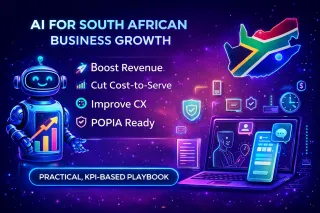
AI for South African enterprises: a practical playbook to grow revenue and cut cost-to-serve

A practical, South Africa–ready AI playbook for medium-to-large companies to drive a measurable growth spurt—covering the fastest ROI use cases, a 90-day implementation sprint, POPIA-aware governance,... ...more

WhatsApp Marketing and Automation ,Marketing Automation Business Automation Website Automation & Digital Growth WhatsApp Marketing IN ONE CRM Ai for Sales Automation WhatsApp Business Solutions Ai Callers AI Solutions & Services AI Agency Cape Town &Ai Agency South Africa

February 10, 2026•5 min read

AI for South African enterprises: a practical playbook to grow revenue and cut cost-to-serve

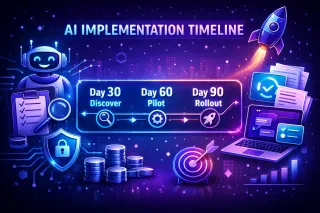
How Long Does AI Take to Implement in a Business? Real Timelines, Real Results

How long does AI take to implement in a business? Explore realistic 30–60–90 day timelines, what speeds up adoption, common mistakes, ROI expectations, and practical examples to help mid-sized busines... ...more

WhatsApp Marketing and Automation ,Ai Automation Business Automation Website Automation & Digital Growth Workflow Automation IN ONE CRM Ai Agents AI Solutions & Services AI Agency Cape Town &Ai Agency South Africa

February 10, 2026•8 min read

How Long Does AI Take to Implement in a Business? Real Timelines, Real Results

Need help to set up AI for your business?

Need help setting up AI for your business? AI Automated Solutions adds AI employees, WhatsApp automation and InOne CRM to capture leads and grow revenue. ...more

Chatbot ,Business Automation WhatsApp Marketing Ai Receptionist IN ONE CRM Ai Agents WhatsApp Business Solutions Ai Callers AI Solutions & Services AI Agency Cape Town Ai Solutions and Service Ai Agency Johannesburg &AI Solutions & Services | AI Agency South Africa

December 08, 2025•5 min read

Need help to set up AI for your business?

AI for South African enterprises: a practical playbook to grow revenue and cut cost-to-serve

A practical, South Africa–ready AI playbook for medium-to-large companies to drive a measurable growth spurt—covering the fastest ROI use cases, a 90-day implementation sprint, POPIA-aware governance,... ...more

WhatsApp Marketing and Automation ,Marketing Automation Business Automation Website Automation & Digital Growth WhatsApp Marketing IN ONE CRM Ai for Sales Automation WhatsApp Business Solutions Ai Callers AI Solutions & Services AI Agency Cape Town &Ai Agency South Africa

February 10, 2026•5 min read

AI for South African enterprises: a practical playbook to grow revenue and cut cost-to-serve