WhatsApp Sales And Support Engine | AI Automated Solutions
WHATSAPP SALES AND SUPPORT ENGINE • LEADS • SUPPORT • CRM • TEMPLATES • HANDOVER

WhatsApp Sales And Support Engine Turn WhatsApp Chats Into Leads, Tickets And Follow-Ups

AI Automated Solutions builds WhatsApp Sales And Support Engines that turn customer messages into structured business workflows. Capture leads, qualify enquiries, answer approved FAQs, collect quote details, create CRM records, route support requests, trigger follow-ups and escalate important conversations to humans — all from WhatsApp.

Capture More Leads Turn WhatsApp enquiries into structured CRM records, quote requests and follow-up tasks.
Support Faster Triage support requests, answer approved FAQs, create tickets and route urgent issues.
Keep Control Use approved templates, opt-out handling, human handover and dashboard visibility.
What It Is

The Engine Behind The Chat

WhatsApp Sales And Support Engine is a connected WhatsApp Business Platform system for sales intake, support triage, CRM updates, customer follow-up, approved templates and human handover.

It is not just a basic WhatsApp chatbot. It turns conversations into records, tasks, tickets, quotes, bookings, escalations and dashboards so WhatsApp becomes a real business channel.

The goal is to stop running sales and support from a messy shared inbox. WhatsApp should trigger the business process, not become the process.


01
Detect Intent Identify whether a message is sales, support, quote, booking, payment, complaint or admin.
02
Capture Details Collect lead information, support context, photos, documents, urgency, location and next steps.
03
Update Systems Create CRM records, support tickets, internal tasks, quote requests and follow-up reminders.
04
Escalate Humans Route urgent, complex, sales-ready or sensitive chats to the correct team member.
WhatsApp Flow

From Message To Business Action

The engine turns every WhatsApp conversation into a structured path: classify, capture, route, update, follow up and report.

01 Receive A customer messages your business on WhatsApp for sales, support, quotes, bookings or help.
02 Classify The system identifies intent, urgency, customer type, required workflow and next question.
03 Capture It collects the right details, documents, photos, service needs and missing information.
04 Route The chat becomes a lead, ticket, task, booking request, quote request or human handover.
05 Update CRM records, support tickets, notes, tags, stages and follow-up reminders are created.
06 Track Dashboards show conversations, leads, tickets, response times, unresolved chats and outcomes.
Engine Modules

What The WhatsApp Engine Can Do

Start with sales intake and support triage, then expand into FAQs, quote requests, CRM updates, template follow-ups, human handover and reporting.

The Business Problem

WhatsApp Chaos Is A Revenue Leak

Customers already use WhatsApp to ask questions, request quotes, send photos, follow up, complain and check progress. The problem is that most businesses do not have a structured workflow behind the chat.

Without A WhatsApp Engine

The Inbox Becomes The Process

Staff reply manually, leads are missed, support questions repeat and management has no reliable view of what is happening.

  • 1Leads come in through WhatsApp but are not captured, qualified or added to CRM properly.
  • 2Support requests sit in chat threads without priority, owner, ticket, SLA or escalation path.
  • 3Customers receive inconsistent answers because staff rely on memory instead of approved knowledge.
  • 4Managers cannot see response times, unresolved chats, lost leads, support pressure or sales outcomes.
With A WhatsApp Engine

Chats Become Structured Work

WhatsApp messages are classified, captured, routed, logged and followed up through a controlled business workflow.

  • 1Sales enquiries become CRM records, quote requests, follow-up tasks and pipeline opportunities.
  • 2Support issues become tickets, tasks, summaries, escalation alerts and resolution workflows.
  • 3Approved FAQs, templates and knowledge rules keep replies consistent and controlled.
  • 4Dashboards show what customers ask, which chats need humans and where revenue is being lost.
Use Cases

What It Handles

The WhatsApp Sales And Support Engine can support the everyday message types that usually overwhelm shared inboxes and slow down teams.

Sales

New Sales Enquiries

Capture customer details, service interest, urgency, location, budget signals and buying stage.

Support

Support Triage

Classify issues, ask diagnostic questions, collect context and route urgent cases.

Quotes

Quote Requests

Collect requirements, photos, sizes, documents, quantities, locations and missing details.

FAQ

Approved Answers

Answer common questions about hours, services, process, locations, documents and policies.

CRM

CRM Updates

Create contacts, opportunities, notes, tags, stages, tasks and follow-up reminders.

Tickets

Ticket Creation

Create support tickets, issue summaries, priority levels, owners and escalation paths.

Templates

Template Follow-Ups

Send approved reminders, updates, confirmations, re-engagement messages and next steps.

Handover

Human Handover

Route sales-ready, urgent, complex or sensitive conversations to the right person.

Reports

WhatsApp Dashboard

Track conversations, leads, tickets, response times, unresolved chats and conversion.

Connected Stack

Connect WhatsApp To The Systems That Run The Business

WhatsApp automation works best when conversations do not stay trapped inside a chat thread. Each message should be able to create a lead, ticket, task, record, reminder, quote request or dashboard update.


AI Automated Solutions can plan and build around WhatsApp Business Platform, Cloud API, WhatsApp templates, webhooks, GoHighLevel, HubSpot, Salesforce, Zoho, Pipedrive, Monday CRM, Airtable, Freshdesk, Zendesk, Intercom, Help Scout, Google Calendar, Outlook Calendar, Calendly, Google Drive, SharePoint, PDFs, Shopify, WooCommerce, product catalogues, quote systems, payment links, Xero, QuickBooks, Sage, Stripe, Google Sheets, Excel, Looker Studio, Power BI, n8n, Make, Zapier, databases and custom APIs.

WhatsApp Workflow Layer One connected layer for chats, leads, support, CRM, templates, handovers and dashboards.
WhatsApp CRM Support Quotes Bookings Templates Tasks Dashboard
Dashboard

WhatsApp Performance Metrics

A WhatsApp engine should give management visibility into sales, support, response times, unresolved conversations, follow-ups and revenue signals.

Chats

New Conversations

Track new WhatsApp conversations, returning customers, after-hours messages and message volume.

Sales

Leads Captured

Show leads created, quote requests, opportunities, sales tags and follow-up tasks.

Support

Tickets Created

Monitor support issues, categories, priorities, escalations, open cases and resolution progress.

Speed

Response Time

Track average first response time, time to human handover and time to resolution.

Human

Handover Rate

Measure sales-ready chats, urgent support issues, sensitive cases and complex escalations.

Templates

Template Results

Track template sends, delivery, failed messages, opt-outs, reminders and re-engagement outcomes.

CRM

Records Updated

Show contacts, notes, opportunities, tickets, tasks, tags and pipeline changes created from chats.

Revenue

Sales Influence

Estimate WhatsApp-influenced leads, quote requests, bookings, payment links and converted opportunities.

WhatsApp Guardrails

Do Not Turn WhatsApp Into Spam Or Noise

WhatsApp automation needs discipline. Bad automation can annoy customers, ignore opt-outs, use templates badly, give unsupported answers or fail to escalate urgent conversations.

AIAS builds WhatsApp workflows with approved templates, opt-out handling, customer service window rules, human handover, CRM logging, access control and no unsupported AI guessing.

Rules

Safe WhatsApp Engine Rules

  • ✓ Use Approved Templates Follow the correct template process for notifications, reminders and re-engagement messages.
  • ✓ Respect Opt-Outs Stop messaging when customers opt out, request no further messages or are marked DND.
  • ✓ Use Approved Knowledge AI answers should come from approved FAQs, service rules, policies and business content.
  • ✓ Escalate Important Chats Urgent, sensitive, sales-ready, complaint or complex conversations need human handover.
  • ✓ Log The Work Conversations should create clear CRM notes, support records, tasks and dashboard events.
Best Starting Point

Start With One WhatsApp Engine Sprint

The strongest first version is a WhatsApp Sales And Support First Implementation Sprint that captures leads, routes support, updates CRM and escalates important chats.

Audit

WhatsApp Workflow Audit

Review current WhatsApp conversations, response times, lead capture, support issues and handovers.

Map

Conversation Map

Define sales, support, quotes, bookings, payments, complaints, FAQs and escalation paths.

Build

Intake And Routing

Create greeting, intent detection, lead capture, support triage and department routing.

CRM

CRM And Ticket Setup

Connect contacts, opportunities, notes, tags, tickets, tasks and follow-up reminders.

Templates

Template Setup

Set up approved templates for reminders, updates, confirmations and compliant follow-ups.

Handover

Human Handover Rules

Define which chats go to sales, support, accounts, management or urgent escalation.

Test

Scenario Testing

Test new leads, repeat questions, support issues, opt-outs, after-hours chats and urgent cases.

Track

WhatsApp Dashboard

Track leads, tickets, response times, unresolved chats, handovers, templates and outcomes.

FAQ

Common Questions

Practical answers for businesses that want to turn WhatsApp into a serious sales and support workflow.

It is a connected WhatsApp workflow system that captures leads, routes support requests, answers approved FAQs, updates CRM, creates tasks, sends follow-ups and escalates important conversations to humans.

No. A chatbot mainly answers messages. A WhatsApp Sales And Support Engine connects WhatsApp to sales, support, CRM, templates, tickets, tasks, dashboards and human handover.

Yes. The engine can create or update contacts, opportunities, notes, tags, pipeline stages, follow-up tasks and support tickets in systems such as GoHighLevel, HubSpot, Salesforce, Zoho, Pipedrive or custom CRMs.

Yes. It can classify messages as sales, support, quote, booking, payment, complaint or admin, then route each conversation into the right workflow or human handover.

The engine can escalate sales-ready, urgent, sensitive, complaint or complex conversations to the correct person with a short summary and the context already captured.

The best first version captures sales enquiries, routes support requests, answers approved FAQs, updates CRM, creates follow-up tasks and escalates important conversations to humans.

LogoLogoLogoLogoLogoLogoLogoLogoLogoLogoLogoLogoLogoLogoLogoLogoLogoLogoLogoLogoLogoLogoLogoLogoLogoLogoLogoLogoLogoLogoLogoLogoLogoLogoLogoLogoLogoLogoLogoLogo
★★★★★ Google Reviews

Ready to automate your marketing, sales, and customer service?

We handle everything — from setup to support — with no tech skills needed, free training, and local SA-based assistance. Sell smarter and faster, with clients seeing a 30–50% increase in qualified leads.

LogoLogoLogoLogoLogoLogoLogoLogoLogoLogoLogoLogoLogoLogoLogoLogoLogoLogoLogoLogoLogoLogoLogoLogoLogoLogoLogoLogoLogoLogoLogoLogoLogoLogoLogoLogoLogoLogoLogoLogo

Articles

AI for South African enterprises: a practical playbook to grow revenue and cut cost-to-serve

A practical, South Africa–ready AI playbook for medium-to-large companies to drive a measurable growth spurt—covering the fastest ROI use cases, a 90-day implementation sprint, POPIA-aware governance,... ...more

WhatsApp Marketing and Automation ,Marketing Automation Business Automation Website Automation & Digital Growth WhatsApp Marketing IN ONE CRM Ai for Sales Automation WhatsApp Business Solutions Ai Callers AI Solutions & Services AI Agency Cape Town &Ai Agency South Africa

February 10, 2026•5 min read

AI for South African enterprises: a practical playbook to grow revenue and cut cost-to-serve

How Long Does AI Take to Implement in a Business? Real Timelines, Real Results

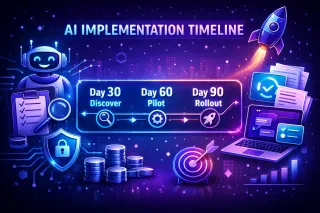
How long does AI take to implement in a business? Explore realistic 30–60–90 day timelines, what speeds up adoption, common mistakes, ROI expectations, and practical examples to help mid-sized busines... ...more

WhatsApp Marketing and Automation ,Ai Automation Business Automation Website Automation & Digital Growth Workflow Automation IN ONE CRM Ai Agents AI Solutions & Services AI Agency Cape Town &Ai Agency South Africa

February 10, 2026•8 min read

How Long Does AI Take to Implement in a Business? Real Timelines, Real Results

Need help to set up AI for your business?

Need help setting up AI for your business? AI Automated Solutions adds AI employees, WhatsApp automation and InOne CRM to capture leads and grow revenue. ...more

Chatbot ,Business Automation WhatsApp Marketing Ai Receptionist IN ONE CRM Ai Agents WhatsApp Business Solutions Ai Callers AI Solutions & Services AI Agency Cape Town Ai Solutions and Service Ai Agency Johannesburg &AI Solutions & Services | AI Agency South Africa

December 08, 2025•5 min read

Need help to set up AI for your business?

AI for South African enterprises: a practical playbook to grow revenue and cut cost-to-serve

A practical, South Africa–ready AI playbook for medium-to-large companies to drive a measurable growth spurt—covering the fastest ROI use cases, a 90-day implementation sprint, POPIA-aware governance,... ...more

WhatsApp Marketing and Automation ,Marketing Automation Business Automation Website Automation & Digital Growth WhatsApp Marketing IN ONE CRM Ai for Sales Automation WhatsApp Business Solutions Ai Callers AI Solutions & Services AI Agency Cape Town &Ai Agency South Africa

February 10, 2026•5 min read

AI for South African enterprises: a practical playbook to grow revenue and cut cost-to-serve